
Introduction One powerful feature in Google Analytics 4 (GA4) is the Funnel Exploration tool. This tool allows you to analyze user behavior by creating segments based on specific actions. In a Funnel Exploration, a segment in GA4 is a defined series of steps that users take within a session. These steps can lead toward a conversion or key event. This …

Export and save your Universal Analytics data to BigQuery or Sheets, and interact with the data in a Looker Studio report. From just $198 as a 1-time fee.
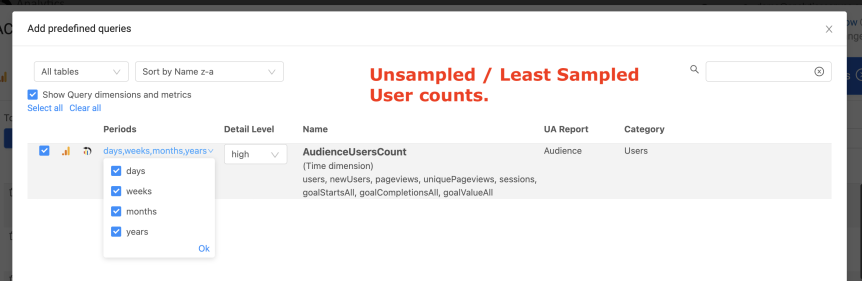
In Universal Analytics, reporting on the Users metric can be challenging. One of the most frequent questions we encounter with our Universal Analytics Backup Utility is: “Why doesn’t my Users metric align with the UA web reports?” This post aims to provide a clear understanding of the user metric in Universal Analytics.⚠️ Just like in GA4, the Users metric delivered …
Google Analytics is a powerful, free tool. Because it isn’t charged by account, and because there are lots of good reasons to create multiple accounts, often power users can find themselves with more than one. Sometimes lots more than one. The web front-end lets you look at data in one profile at a time, but if you want Google Analytics …
4 ways to get unsampled data for Analytics 360 accounts including when to use them, how to use them, and what their limitations are.

What is it that turns website visitors into paying customers? What is the process they go through to become subscribers or customers? These two questions are of paramount importance for e-commerce companies, but what if your website does not have a shopping cart? How do you analyze conversion funnels for non e-commerce websites? Chances are, you’ve found the answers to …

Google has announced a very important change is coming to your Google Analytics data- if you track device types using isMobile and isTablet dimensions they have been eliminated. But don’t worry, you’ll still be able to understand what devices are being used by using the new deviceCategory dimension, and you have at least 6 months as per the Google Analytics …

Google Analytics is a powerful tool, and provides a wide range of excellent functionality right in the web interface. But Google knows it hasn’t provided everything. That’s why they created the Google Analytics APIs. Many readers might be using an excel based plugin to pull data using the API directly into a spreadsheet for manual manipulation. Often this is a …
The interwebs are a-buzz today with the announcement by Google that there is now a Premium, paid version of their web analytics product. Google Analytics premium offers a number of key advantages. The service guarantees in the form of SLAs, the more formalised arrangements with certified partners for support, attribution analytics, but perhaps most importantly, more data and less sampling. …
Google Analytics is a fantastic web analytics tool- and it is improving constantly. One result of improvements and evolution, however, is that how data is collected and stored changes, and can change your metrics. Usually these step changes are subtle- in certain cases, depending on your traffic and situation they could be earth shifting. While these changes can sometimes be …
If you have to do reporting of your website traffic sources, you’ll notice that the raw data from Google Analytics is often somewhat, well, raw. For example, you might want to report how many visitors came to your website via Twitter- but google analytics will have multiple sources for this- “twitter.com”, “mobile.twitter.com”, as well as other clients- “twittergadget.com” or “hootsuite.com”. …
While Google analytics is a great way to collect data about web traffic, there is lots of data in other places that you probably need to be looking at too. Where is it? It’s in databases and files. in that SQL Server database that marketing uses to track all its promotions in that MS Access database over in sales where …